From Handset to Headset: A Cloud-Calling Migration Checklist for UK Offices
Photo: Tim Sheerman-Chase, CC BY 2.0, via Wikimedia Commons
The handset is no longer the centre of the phone system
For many UK SMEs, the desk phone has become a familiar but inflexible fixture. In 2026, browser-based calling is credible for most office roles, and hybrid working has made the fixed handset look increasingly out of place. Yet moving telephony into a softphone is not a simple product swap. It is an operational change that touches numbers, emergency procedures, meeting rooms and finance.
This checklist assumes a small or mid-sized UK office with 20 to 250 users, at least one main number and a mix of hybrid and office-based staff. It is deliberately practical: the aim is a controlled migration, not a perfect platform selection exercise.
Begin with an inventory, not a product demo
Before comparing platforms, list every number, handset, line and ancillary service. Include fax lines, lift phones, door-entry systems, alarm lines, payment terminals and any analogue devices that may be overlooked. Record who uses each number, where it is published, whether it receives inbound calls and whether it is critical for safety.
Assign an owner for the inventory. A simple spreadsheet is enough. The aim is to identify what must be ported, what can be replaced and what may need to remain on a fixed line for resilience. Without this step, teams discover analogue dependencies after cutover, when reception cannot answer or a lift phone stops working.
Number porting: plan the sequence
Number porting is often the longest lead item. Do not cancel an existing contract before porting completes. Collect letters of authorisation, recent bills and a list of direct-dial numbers. Work with the new provider to batch numbers and agree who is responsible for each stage.
Port the main number after direct-dial numbers have been tested, or use a coordinated switch if the provider supports it. Test inbound and outbound calls, voicemail, call queues and emergency calling. Keep temporary numbers only as long as needed. For multi-site teams, port site by site if possible. Document every number, its porting date and its owner. A clear porting log is more useful than a polished project plan.
Emergency calling, location and resilience
UK organisations must ensure staff can reach 999 and 112. Cloud calling changes how location information is stored and shared. Confirm how the provider registers emergency addresses and how users update them when they move between sites or work remotely. Check what happens during a broadband outage or power cut.
A mobile fallback, a retained analogue line or a resilient network path may be needed. For lone workers, reception desks and sites with public access, include emergency calling in the risk assessment. Test the process rather than assuming the platform covers it. Staff should know what to do if the softphone fails and how to report an emergency from a mobile device.
Match the platform to the workflow
Teams Phone suits organisations already standardised on Microsoft 365. It can use calling plans, Operator Connect or Direct Routing, so the commercial model varies. Zoom Phone fits teams using Zoom Rooms and Zoom meetings. Standalone VoIP providers may suit firms that want simple telephony without a broader collaboration suite.
The decision should start with call queues, reception, hunt groups, recording, mobile working and meeting-room audio, not with a feature list. Ask each vendor to demonstrate a normal busy morning: an external call to reception, a transfer to a hybrid worker, a queue overflow and a room joining a meeting.
Hybrid meeting rooms are part of telephony
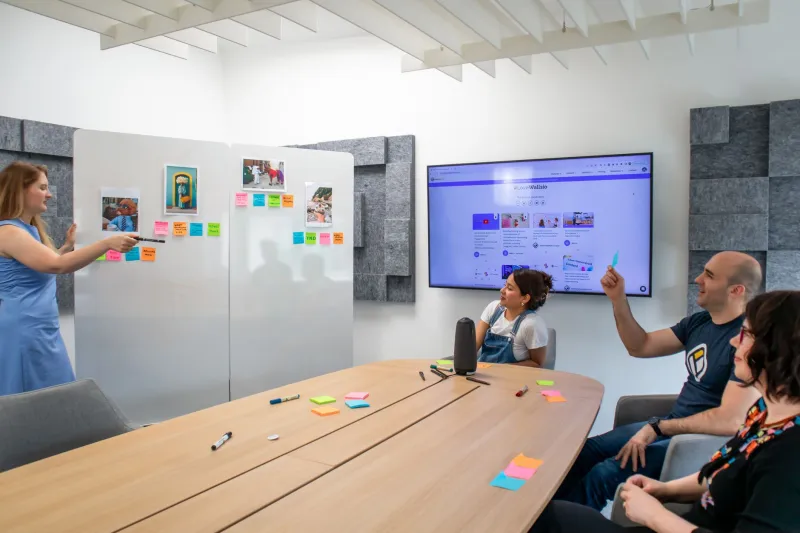
Once calls move into the browser, meeting rooms need audio that works for both. A speakerphone on a table is rarely sufficient. Consider ceiling microphones, digital signal processing, certified room devices and clear joining instructions. Test a hybrid call with remote and in-room participants. Check echo, volume and how the room dials into calls.
Room audio is often funded from a different budget from telephony, which is why it is missed. Include one representative room in the pilot and treat its audio as part of the phone migration, not as a separate facilities project.
The hidden costs finance teams miss
Licences are only one line. Budget for number porting, call plans, headsets, handsets for frontline staff, PoE switches, cabling, room kits, session border controller or gateway fees, emergency address management, call recording, training, support and contract exit costs. Add contingency for parallel running.
Check whether VAT and per-minute charges are included. Ask the provider for a total cost of ownership over three years, not a monthly seat price. Finance teams should also ask who pays for replacement headsets, who administers the portal and what happens if the organisation grows by 20 per cent.
A step-by-step migration checklist
- Inventory users, numbers and analogue services.
- Identify critical lines and emergency-call dependencies.
- Agree a porting sequence and provider responsibilities.
- Run a pilot with one team and one meeting room.
- Test inbound, outbound, queues, voicemail and 999/112 processes.
- Confirm emergency addresses and remote-worker updates.
- Train staff on softphones, headsets and call handling.
- Communicate cutover dates to customers and suppliers.
- Keep a rollback path for the first two weeks.
- Review call quality, costs and user feedback after 30 days.
Vendor comparison at a glance
| Option | Likely fit | Telephony model | Meeting-room consideration | Watchouts |
|---|---|---|---|---|
| Teams Phone | Microsoft 365 standardised teams | Calling plans, Operator Connect or Direct Routing | Strong if rooms already use Teams Rooms | Licensing and routing model can be complex; emergency address admin needs ownership |
| Zoom Phone | Teams already using Zoom for meetings | Cloud telephony with regional plans | Good fit for Zoom Rooms estates | Check call queue and reception requirements against the current plan |
| Standalone VoIP | SMEs wanting simple calling | Hosted PBX with softphone and handset options | May need separate room audio integration | Integration with collaboration tools may be limited |
Cutover is a change programme
The technology is only part of the work. Receptionists, sales teams and frontline staff need clear call-handling rules, headsets that work and a route for reporting faults. Customers need to know that numbers are unchanged. Managers need to know how to add a user or change a queue.
Treat the migration as a change programme with a named owner, a pilot group and a post-cutover review. That approach is less exciting than a platform launch, but it is the difference between a tidy migration and a prolonged period of missed calls.