The Archive Is Not a Dumping Ground: A Lifecycle Review for Shared Project Folders
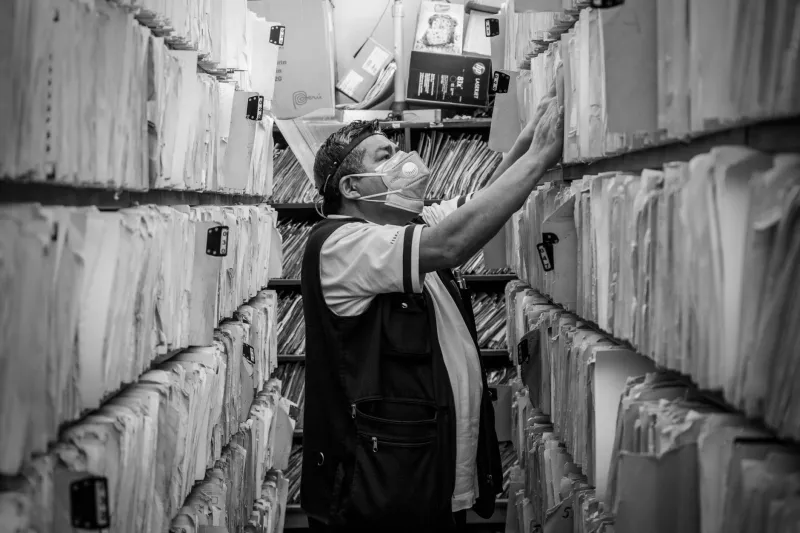
Shared drives have a habit of becoming sedimentary. A folder is created for a project, permissions are widened for a supplier, links are circulated to a partner, and then the work finishes. The folder remains. Months later it is still there, still searchable, still shared with an external address nobody recognises. For UK teams using SharePoint, Google Drive or Dropbox, the problem is rarely a lack of storage. It is a lack of endings.
A lifecycle review is not a mass clean-up exercise. It is a repeatable decision point at the end of a project, and a light-touch check on folders that have already passed their useful life. The aim is to leave a clear record of what was kept, what was archived and what was removed, with an owner accountable for each choice.
Begin with a small, defensible sample
Do not start by opening every folder on the drive. That approach collapses under its own weight and usually ends with a few obvious deletions and no change in behaviour. Instead, select a sample of ten to twenty project folders that have passed their planned end date or have had no meaningful activity for six months. Include a mix of completed projects, paused work and folders with external sharing enabled.
The review can be completed in a half-day by one person with access to the platform and a representative from the business area. The output is not a pristine drive. It is a folder register that records the decision for each item and exposes the patterns that need fixing.
Build a folder register, not a file inventory
A file-by-file inventory is rarely worth the effort. At folder level, record the following: folder name, platform, business owner, project end date, last activity date, external sharing status, retention category and decision. Add a notes column for dependencies or caveats.
The register should be owned by the business, not by IT. IT can provide the sharing report and the activity data, but the decision about whether a folder still has value belongs to the team that used it. A simple spreadsheet is sufficient for the first pass; the platform's own metadata and retention labels can carry the same information later.
Ownership is a role, not a name
Many folders are owned by a person who left the team two years ago. That is not an ownership model; it is an orphan record. For each folder in the review, assign an owner role and a deputy. The owner should be the person who can say whether the folder still supports live work, a contractual obligation or a statutory retention requirement.
In SharePoint, check site owners and members. In Google Drive, review shared drive managers and members. In Dropbox, confirm folder owners and team folder access. Where access is granted through a group, confirm that the group still has a business purpose. Where access is granted to individuals, ask whether they still need it. Record the owner in the register so the next review does not start from zero.
Treat external links as a separate risk
External sharing deserves its own pass. Look for links set to 'anyone with the link', guest accounts that have never signed in, and supplier access that was intended for a fixed period. A closed project with an open external link is not closed.
That said, do not revoke access blindly. A partner may still need a final deliverable, or a funder may require records to remain available for audit. Check the contract or retention schedule before removing access. Where external access is still needed, narrow it to the specific folder and set an expiry date. Where it is not, revoke it and record the date.
Decide by retention category, not sentiment
'It might be useful one day' is not a retention category. UK teams should align folder decisions with the organisation's retention schedule. Project records, financial records, contractual documents and HR material will have different minimum periods. If no schedule exists, agree a pragmatic default with legal or compliance and record the assumption.
For folders that must be kept, archive them in a read-only location with restricted access. In SharePoint, that may mean moving content to an archive site. In Google Drive, a separate shared drive with view-only permissions can serve the same purpose. In Dropbox, an archive team folder with controlled membership is usually sufficient. The point is to separate records that must be retained from working folders that are still active.
Archive, move or delete: three clear doors
Every folder in the review should leave through one of three doors. Archive if the content is a record that must be retained. Move if the content supports live work, a reusable template or a dependency that another team still needs. Delete if the content is duplicate, transient or superseded, and if no retention requirement applies.
Deletion should be recorded. A short disposal log with the folder name, decision, approver and date is enough. Use the platform's recycle bin or trash as a short quarantine period, but do not treat it as a permanent archive. The log is what demonstrates that the decision was deliberate.
Close the loop with a short meeting
A forty-five minute close-out meeting is usually enough. Confirm the owner, review the external sharing list, agree the retention decision and assign actions. Send the register to the project stakeholders so there is a shared record. Add a calendar reminder for a follow-up review in three months, particularly for folders that were archived rather than deleted.
Make the review repeatable
The real test is whether the organisation needs another heroic clean-up next year. Add a folder close-out step to the project closure checklist. Give new project folders an owner, an end date and a retention category from the start. Review the folder register quarterly rather than annually, and use platform retention labels where they are available.
A shared drive is a working surface, not a permanent museum. Treating folders as temporary containers with defined endings makes search results more trustworthy, reduces unnecessary storage and limits the number of external links that survive long after the project has finished.